
MareArts ANPR App: On-Device Plates, MMC Vehicle Info, Team Sync, Web and Desktop Viewers
MareArts ANPR is a license-plate recognition app for iOS and Android, with a web viewer and a desktop viewer on the same account. Plates are read on the phone. Cloud MMC (make, model, colour, type, side, nation), team sync, rules, maps, and stats sit on marearts.com.
- Scan (on-device and cloud)
- MMC vehicle info
- Detections, map, stats
- Whitelist and blacklist
- Team project
- Web viewer
- Desktop viewer
- Webhook, regions, SDK

Scan: on-device ANPR and cloud
Hold the phone at the lane. The app finds the plate, reads the characters, and stores time plus GPS. No extra camera box and no PC at the gate.
- Single — one capture.
- Continuous — keep scanning; a duplicate window (default 5 seconds) skips the same plate.
- Cloud — send the frame for OCR plus MMC vehicle info in one step.
On-device mode keeps detection and OCR on the phone after the models are installed. Cloud mode is optional when you want vehicle identity with the plate.
Camera: 1080p, 720p recommended, or 480p. Preview 60 or 30 fps. Lower resolution is faster and uses less storage. Zoom 1× / 2×, flash, front or rear camera. Landscape scanning keeps boxes and controls upright.
Trial is 10 scans per day without login. A license on the product page removes that cap.

MMC vehicle info (make, model, colour)
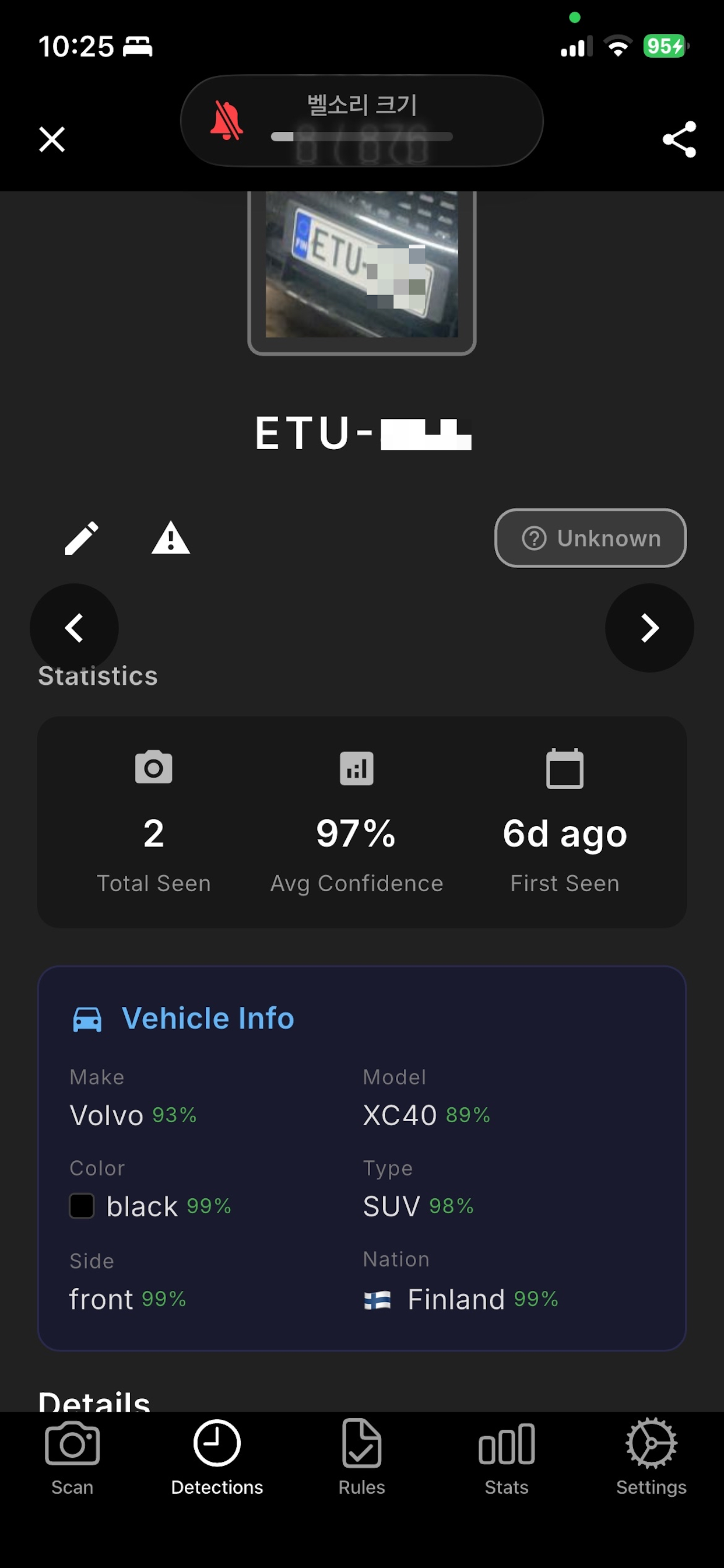
MMC here means MareArts cloud vehicle identity, not a third-party brand. For each detection the API can return:
- Make and model (with confidence)
- Colour (with a colour chip)
- Type (car, SUV, van, …)
- Side — front or rear
- Nation — country of the plate
The phone list shows a short line such as “Volvo XC60 · black”. The detail card shows all six fields. Cloud scan writes MMC immediately; on-device scans pick it up on sync. The web viewer filters the same fields (make, model, colour, type).
MMC uses the MareArts cloud API and is included with the subscription. Daily vehicle-info usage is shown in Settings.
Detections, map, and stats
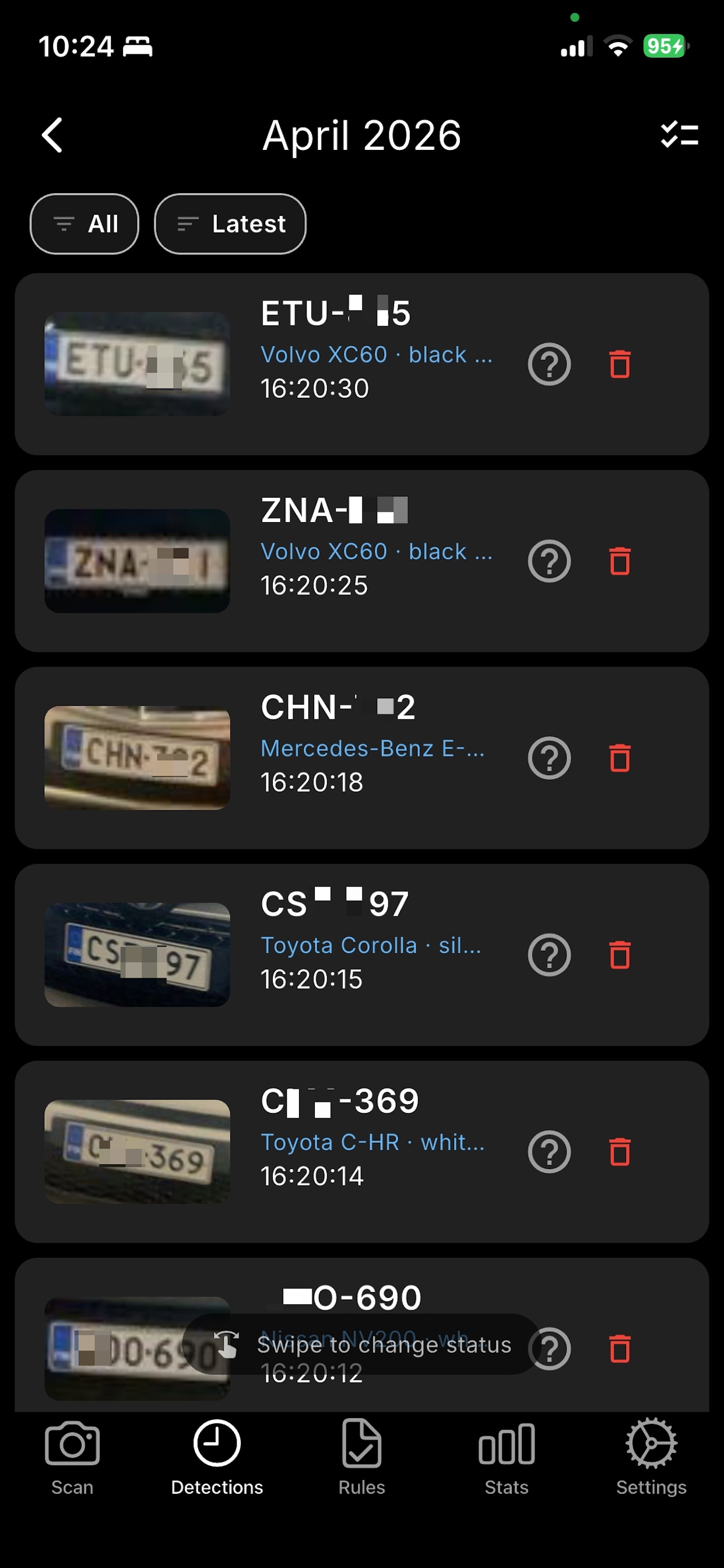
- List — grouped by day; All / Latest; swipe to set whitelist, blacklist, or unknown.
- Detail — full frame, plate crop, confidence, first/last seen, GPS, history of that plate.
- Map — pins and clusters, satellite or road, optional plate labels, search.
- Stats — today / week / month / year / custom range; unique vehicles; filter by rule status.
- CSV export — plate, time, GPS, confidences, rule note, plus MMC columns.

Whitelist and blacklist
Rules mark a plate as allowed (green) or blocked (red) on the next scan, with sound and vibration. Notes can sit on the detection card.
- Search, letter groups, swipe to delete, CSV import and export.
- Upload a large CSV on marearts.com, then pull the package on the phone (replace or merge).
Team project
One team leader creates a team and shares a password. Members join and contribute detections and rules. Cloud sync is two-way. Auto-sync can run when the app goes to the background.
- Leader sees every member’s data on the web viewer and can switch member in the dashboard.
- Desktop viewer for a leader can pull the same team detections.
- Leave or break team returns a user to solo mode.
Typical use: several guards at a gate, one supervisor on the web viewer without standing at the lane.
Web viewer
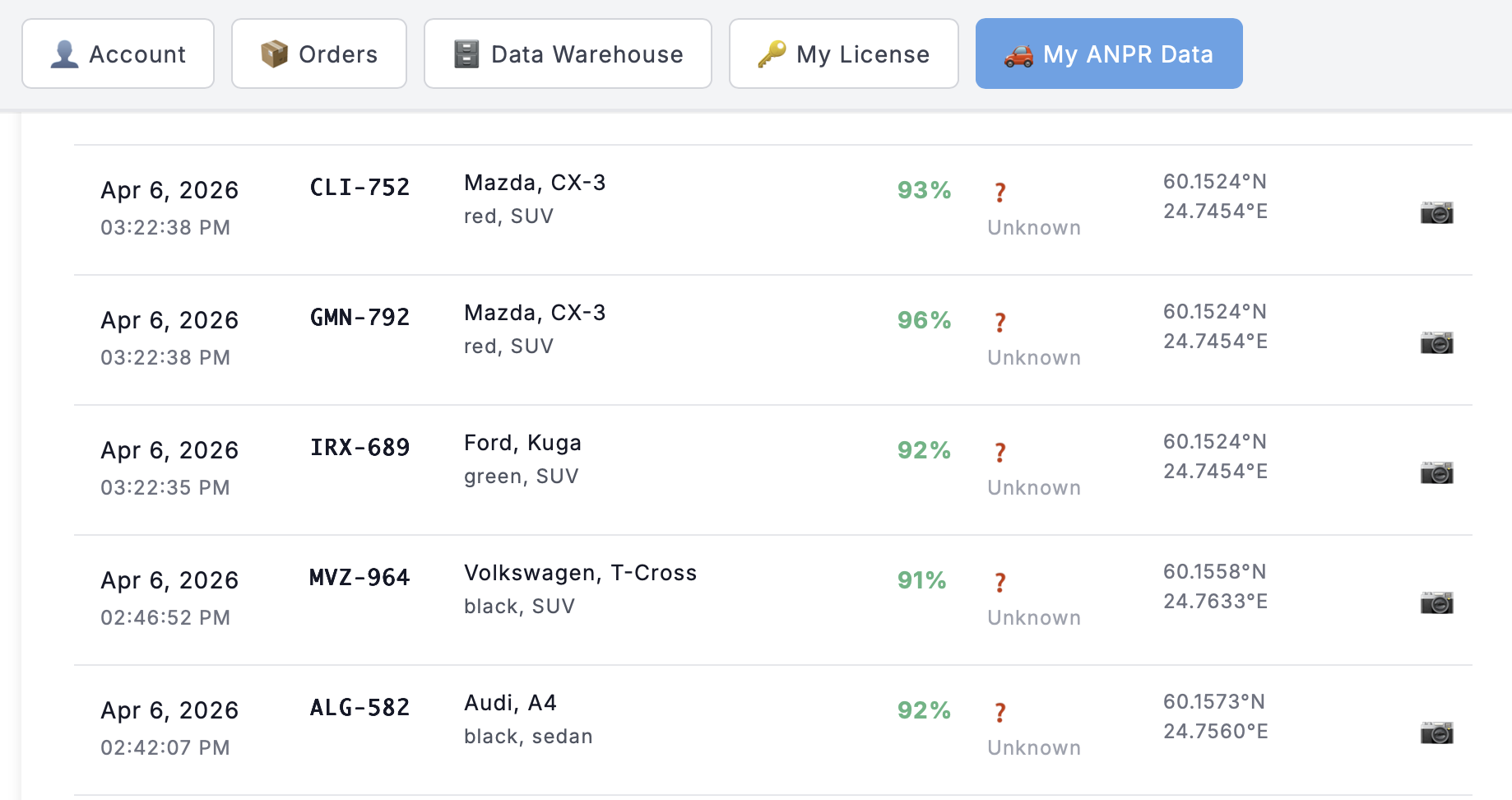
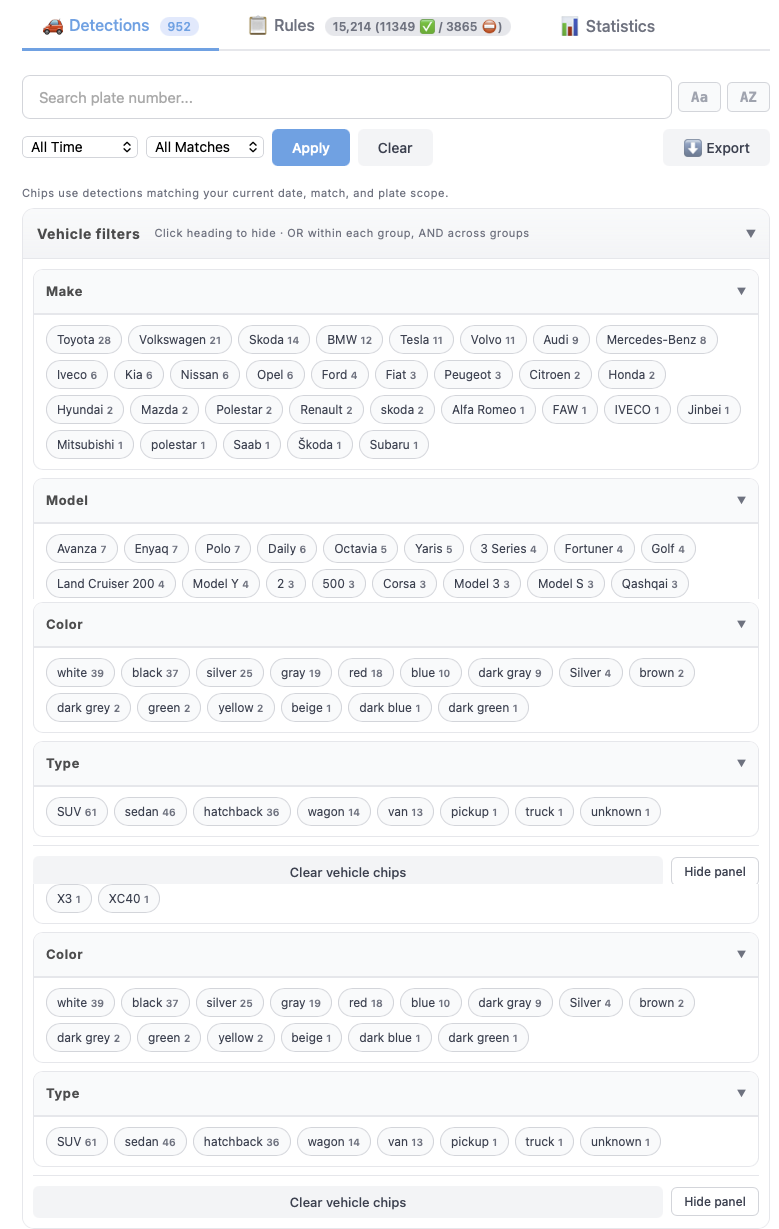
After login, My ANPR Data is the browser console for the same account: detections, MMC filters, rule packages, team member switch, export. The phone captures; the browser reviews.
Desktop viewer
MareArts ANPR Desktop is a free companion for Windows, macOS, and Linux. Same login. It is a read-only viewer: it downloads cloud data and does not edit or delete it. Capture and rule changes stay on the phone.
- Detections with MMC and location
- Map with clustering
- Rules (view)
- Statistics
- Local image drop — run a still through the MareArts ANPR cloud API
- One-click sync, optional auto-sync
- Team leader: all members’ detections, same as the web viewer

Webhook, plate regions, SDK
- Webhook — JSON to Discord, Slack, Zapier, Make, or your own URL (plate, time, GPS, confidences, bbox, rule, optional image).
- Plate region — Universal, Europe+, Korea, North America, China.
- Thresholds — detection and OCR 60–95% (90% recommended); max plates per frame 1–10.
- Python ANPR SDK and Road Objects SDK — same license family; offline after activation. See the license page.
How to start
- Install MareArts ANPR (search “marearts anpr” on the App Store or Google Play).
- Open Scan and use the daily trial.
- Subscribe on www.marearts.com/products/anpr. The serial key is emailed to the PayPal address and also appears after login.
- Sign in under Settings. Sync fills the web viewer and the desktop viewer.


Serial keys are bound to the PayPal email and cannot be moved. Plans and SDK options stay on the product page.