
OpenCV 2.46 Calibration example source code (using calibrateCamera function)
This is advanced from "http://feelmare.blogspot.kr/2011/08/camera-calibration-using-pattern-image.html"
When you run the calibration example source code, some information will ask you.
First question is to ask number of width corner points.
Second question is to ask number of height corner points.
Third question is to ask number of pattern boards.


Of course, you have to prepare the captured images of chess pattern.
The source code detect corner points and calibration will be performed.
This function 'findChessboardCorners' is used to detection corners.
//code start
//code end
After calibration, the source code save ->
distortion_coeffs.txt
intrinsic.txt
rotation.txt
translatioin.txt
imagept.txt
objectpt.txt
and
The result images of corner detected.


This is matlab source code.
To confirm the result of calibration, I draw 2D image coordinate point to the 3D space.
m=[R|t]M or m=[R|-Rc]M
m is camera origin axis based coordinate.
M is world origin axis based coordinate.
In the -Rc, c is translate vector based on world origin axis.


The main m file is Sapce2D3D.m in matlab files.
//matlab code start
//matlab code end
You can download calibration source code and matlab code in here.
When you run the calibration example source code, some information will ask you.
First question is to ask number of width corner points.
Second question is to ask number of height corner points.
Third question is to ask number of pattern boards.

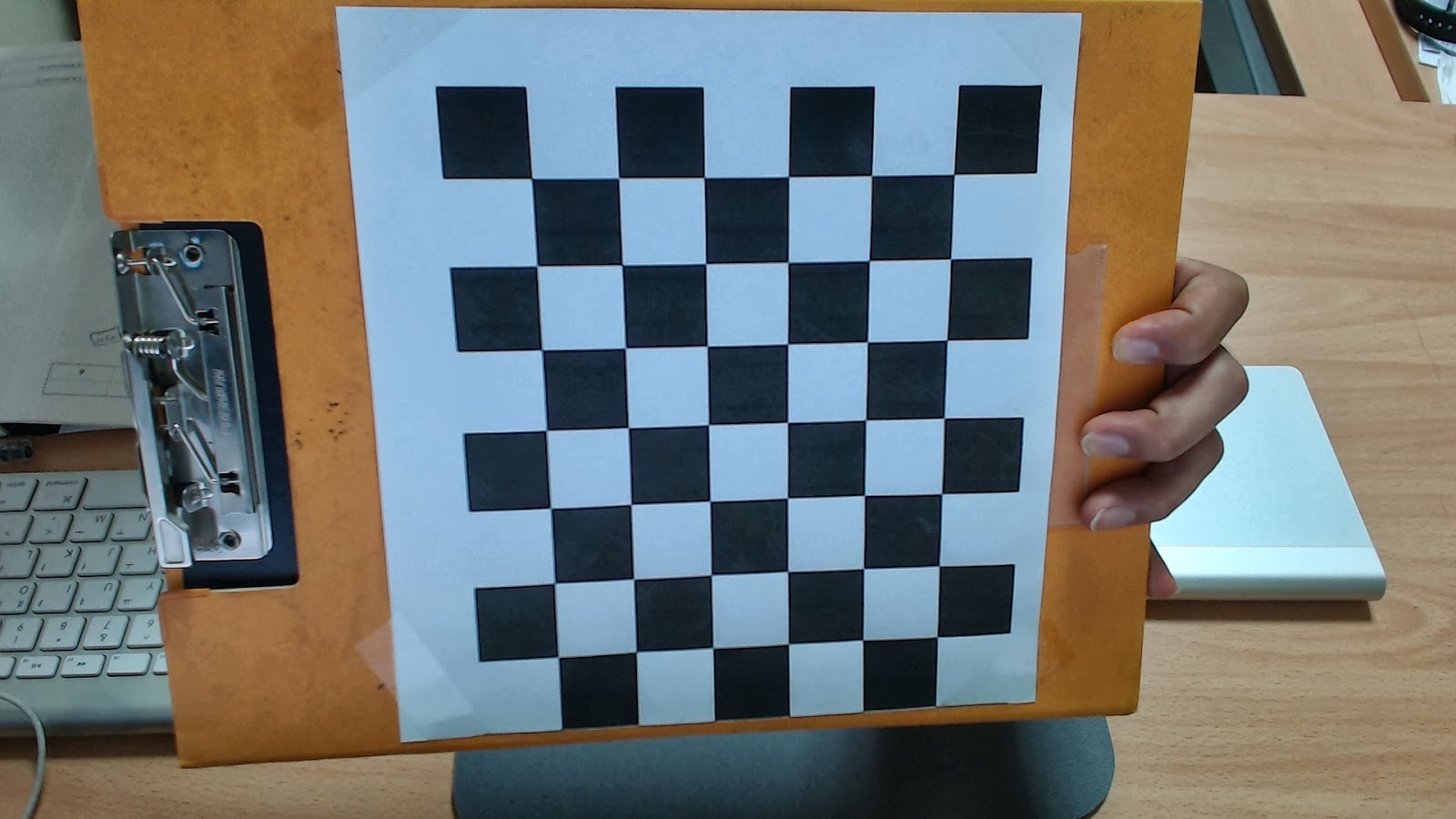
Because I use this chess board pattern, the answers is as follows
Of course, you have to prepare the captured images of chess pattern.
The source code detect corner points and calibration will be performed.
This function 'findChessboardCorners' is used to detection corners.
And 'calibrateCamera' function is used to get calibration parameters.
This is calibration example source code.
//code start
//code end
After calibration, the source code save ->
distortion_coeffs.txt
intrinsic.txt
rotation.txt
translatioin.txt
imagept.txt
objectpt.txt
and
The result images of corner detected.


This is matlab source code.
To confirm the result of calibration, I draw 2D image coordinate point to the 3D space.
m=[R|t]M or m=[R|-Rc]M
m is camera origin axis based coordinate.
M is world origin axis based coordinate.
In the -Rc, c is translate vector based on world origin axis.

pattern axis based
The equation is like this
R'(m-t)=M
In the equation, m is camera line coordinate for drawing.
M is camera coordinate based on pattern axis.

camera axis based, pattern position in 3D
The equation is like this
m=R*M+t or m=[R|t]M
In the equation, M is pattern coordinate for example -> [0 0 0; 10, 0 0; 0 10 0; 10 10 0] or
R is rotation 3x3 matrix, t is 3x1 translation matrix.
After calibration, we can get each R,t of pattern boards.
m is pattern 3D coordinate based on camera origin axis.
The main m file is Sapce2D3D.m in matlab files.
//matlab code start
//matlab code end
You can download calibration source code and matlab code in here.


